
NetTrack shows the most private numbers you have, on a device you hand to other people all day. This release is about handling that responsibly, and about making the two things you do most with your history and your accounts a lot less fiddly. Here’s what’s new in NetTrack 1.6.13.
App Lock
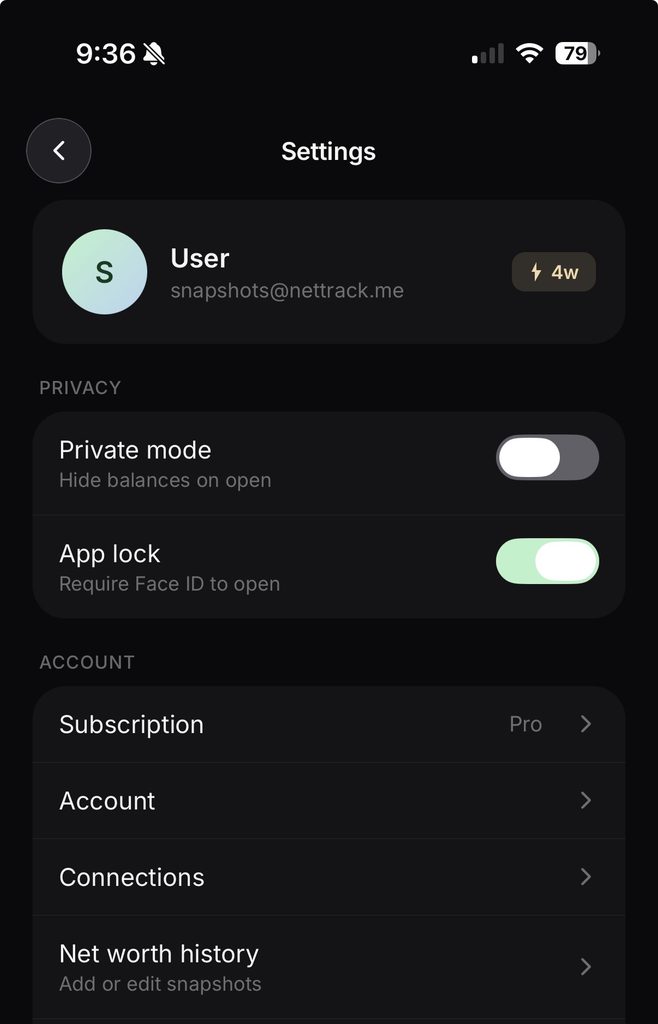
Turn on App lock in Settings and NetTrack asks for Face ID, Touch ID, or your device’s biometrics every time you come back to it. Your phone’s passcode works as the fallback, so you’re never locked out of your own data.
The part most apps get wrong is everything around the prompt. Swipe up into the app switcher and NetTrack’s card is blank instead of a readable screenshot of your net worth. Come back to the app and the lock is already up, with no flash of balances before the prompt appears. On Android, Recents shows the app icon rather than a thumbnail, and screenshots inside the app still work, because we’re hiding the preview, not fighting you.
Net worth history, rebuilt around the chart
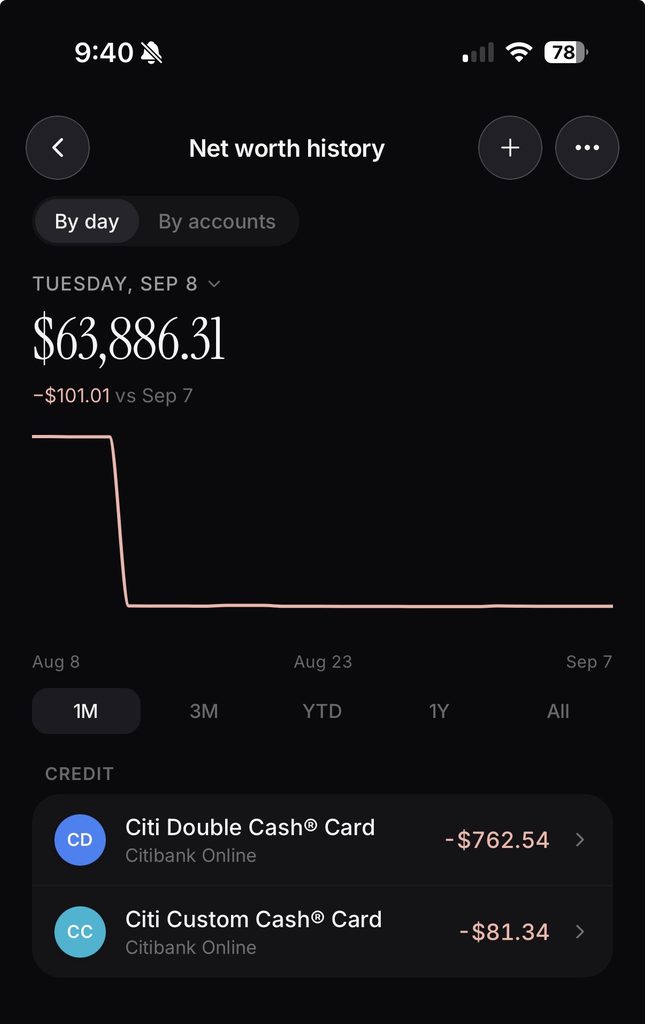
Your history screen used to be a list you scrolled through. Now the chart is the way in. Drag along it and the day breakdown underneath follows your finger, with the same 1M, 3M, YTD, 1Y, and All ranges as the rest of the app. The big number at the top always reads what the chart reads, so what you see and what you scrub to never disagree.
There are two ways to look at a day, and you pick the one that matches the question you’re asking:
- By day shows every account’s balance on one date, grouped, so “what did I have on March 3rd” is one screen.
- By accounts lets you pick one or several accounts and walk their balances forward through time, sectioned by month.
Editing got the same treatment. Tap any row to correct a balance, swipe to delete a bad one, or pick a date range on the calendar to clear a stretch of history for the accounts you’ve selected. Every edit lands on the append-only history engine we shipped last release, so a correction is a new observation on the record, never an overwrite you can’t undo.
Transfers between accounts
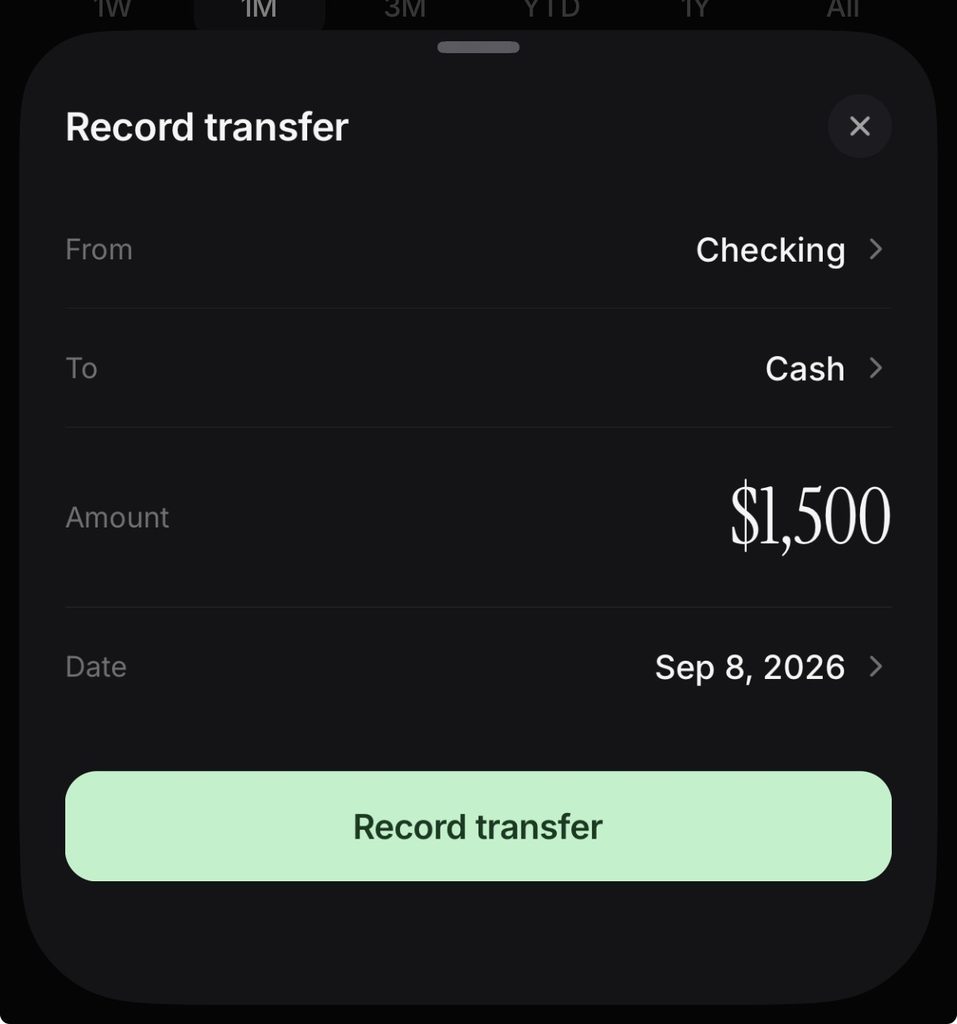
Moving $2,000 from checking to savings is not spending $2,000, and it’s not earning $2,000 either. Until now, recording that move by hand meant two transactions that quietly distorted your cash flow in both directions.
Open an account’s menu and tap Record transfer. Pick where the money came from and where it went, add a note if you want, and NetTrack writes both sides at once. Both balances update immediately, and neither leg ever shows up as income or spending, so your cash flow, spending reports, and budget keep telling the truth.
Available now
NetTrack 1.6.13 is rolling out on the App Store and Google Play. App Lock is in Settings, the new history screen is under your net worth chart, and Record transfer is in every account’s menu.
If there’s a piece of your financial life that still needs a workaround, tell us. Most of this release started as one.