
One credit card charge is rarely one kind of spending. The $180 Costco run is groceries and household stuff and a new hoodie. The Amazon order is a gift, office supplies, and a phone case. Until now, NetTrack made you pick a single category and live with the distortion.
This update fixes that — and makes cleaning up your transactions dramatically faster while we’re at it. Here’s what’s new in NetTrack 1.6.2.
Split transactions
You can now break any transaction into pieces, each with its own category and amount. Open a transaction, tap Split transaction, and divide it up — the pieces have to add up to the original, and a live counter shows what’s left to assign (with a one-tap “rest” shortcut for the last piece).
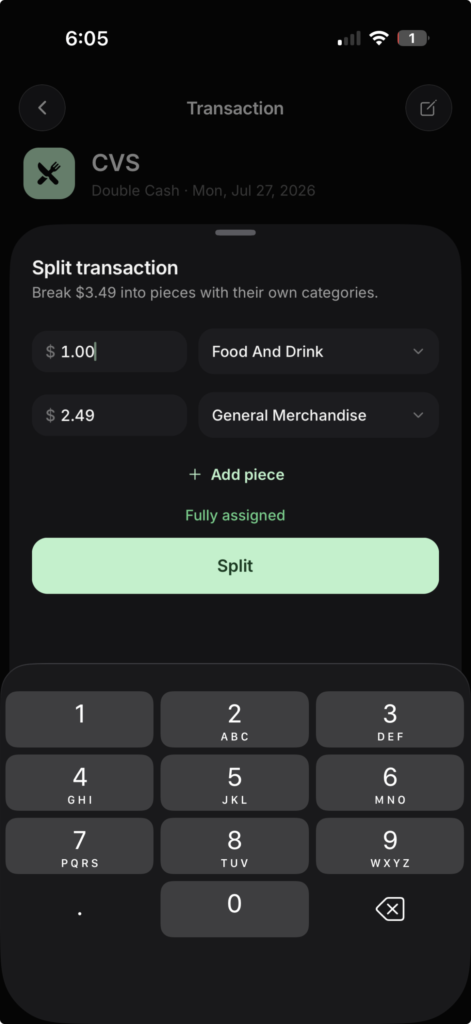
Once split, the pieces behave like real transactions everywhere: your cash flow, spending reports, and budgets count what actually happened instead of one lump under “Shopping.” The original charge is never modified — it’s kept behind the scenes, and you can unsplit at any time to restore it exactly as it was.
A few details we sweated so you don’t have to:
- Day totals in your activity feed still add up to the penny — the pieces replace the original, never double-count it.
- Your auto-categorization rules won’t fight your splits. A rule like “Costco → Groceries” leaves split pieces alone.
- Recurring detection still sees the real charge, so splitting a subscription won’t break its history.
Splits are part of NetTrack Pro, alongside Rules, Recurring, and Budgeting.
Notes on transactions
Sometimes the transaction itself doesn’t tell the story. “Split with roommates — they Venmo’d me back.” “Tax deductible — home office.” “Warranty expires July 2028.”
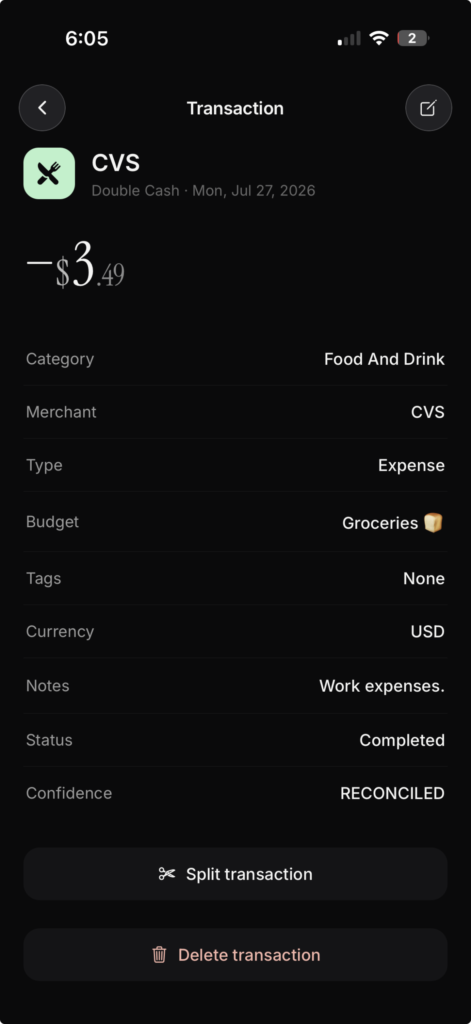
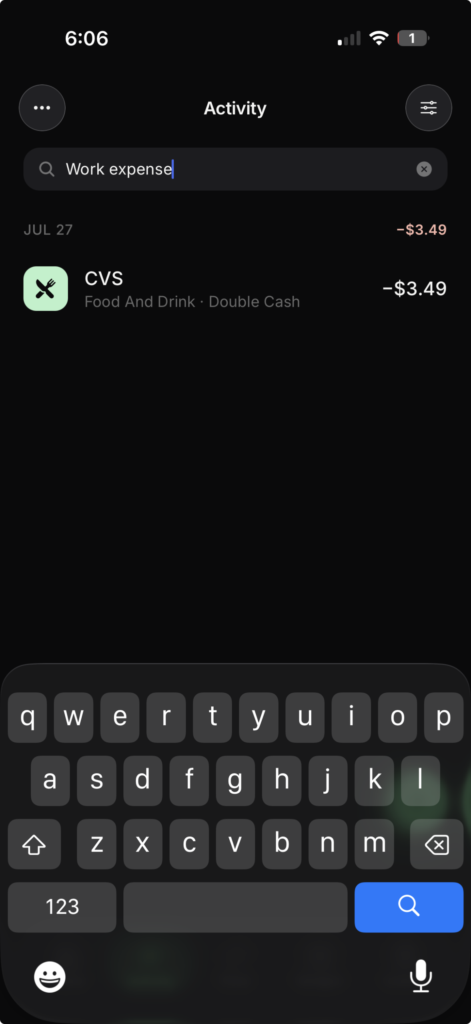
Every transaction now has a notes field. Add context while it’s fresh, and find it again later — search in the Activity tab matches your notes, not just merchant names. Future-you will thank present-you at tax time.
Multi-select and bulk editing
Fixing transactions one at a time was the slowest part of keeping your data clean. Now: long-press any transaction in the Activity tab to enter selection mode, tap to select as many as you like, and apply one action to all of them — recategorize, set the type, add tags, or delete.
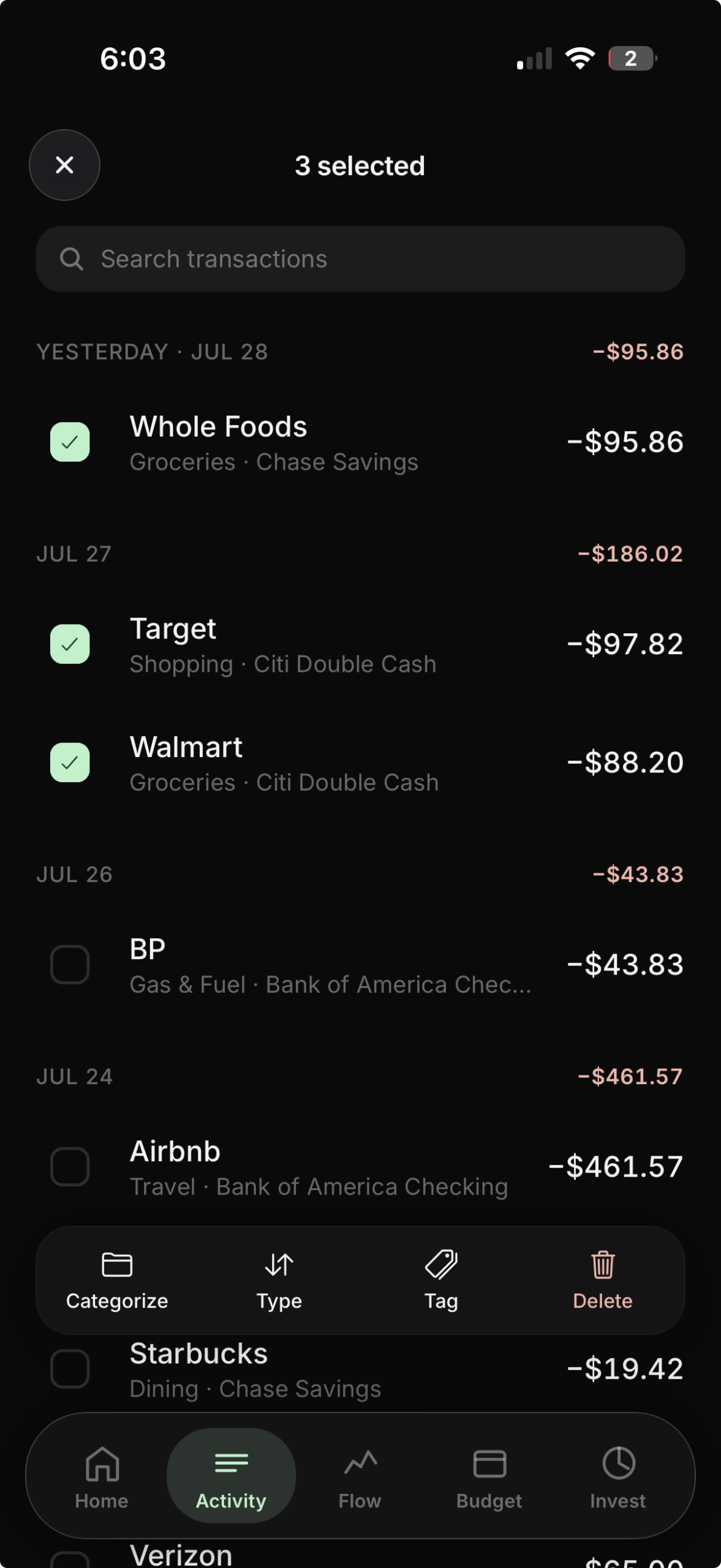
It composes with filters, too. Filter to a merchant or a date range, select everything that’s left, and fix a month of miscategorized transactions in about four taps.
Available now
All three features are live in NetTrack 1.6.2 on the App Store. Notes and multi-select are free for everyone; splits are included in NetTrack Pro.
Got a messy merchant or a workflow that’s still slower than it should be? Tell us — most of this update came directly from user requests.