Category: Updates

  • New in NetTrack

    New in NetTrack

    🚀 NetTrack Update: Smarter Reconciliation, Flexible Modes, and Faster Workflow

    We’ve rolled out powerful new features in NetTrack to make managing your transactions even easier:


    ✅ 1. Create Rules for Future Transactions While Reconciling

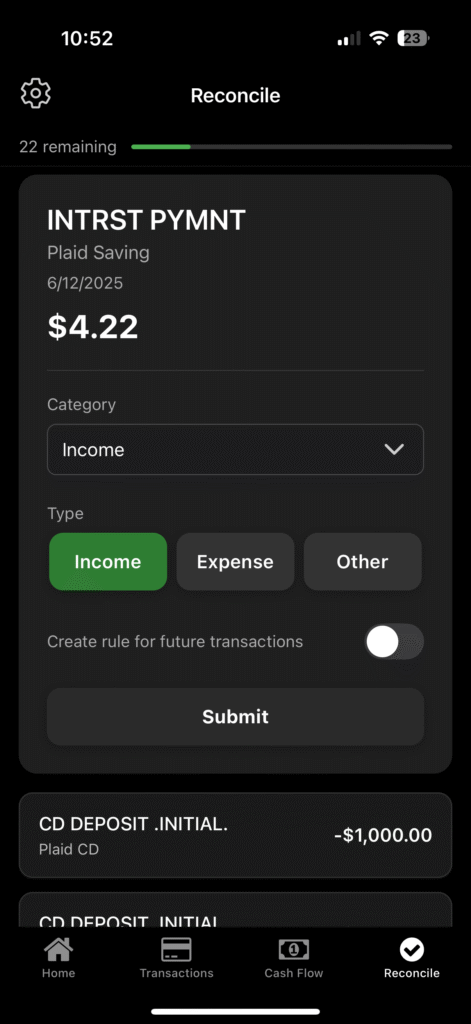
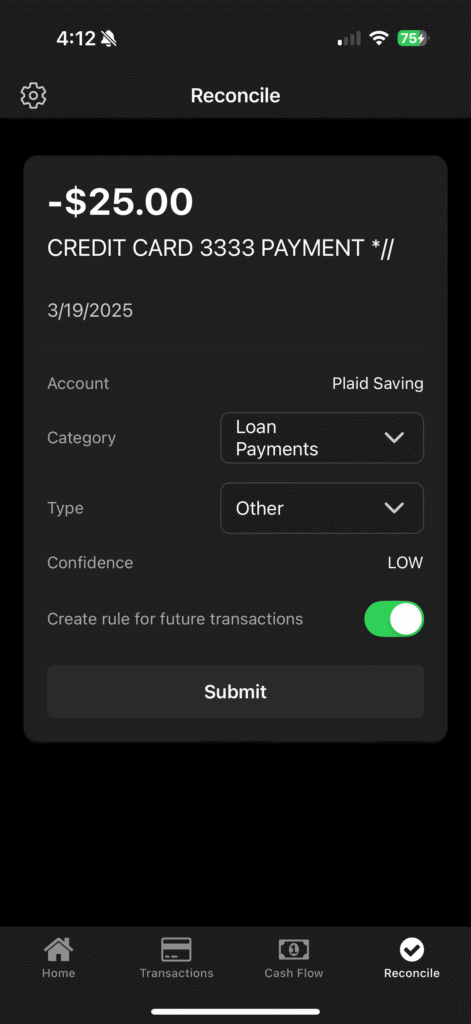
    When you reconcile a transaction, you can now create a rule for future transactions directly during reconciliation with a simple toggle.

    This means:

    • No need to repeat manual categorization.
    • Transactions with the same merchant or pattern will auto-categorize next time, saving you time.
    • Keeps your reconciliation queue clean and your net worth tracking accurate.

    ✅ 2. New Reconciliation Modes

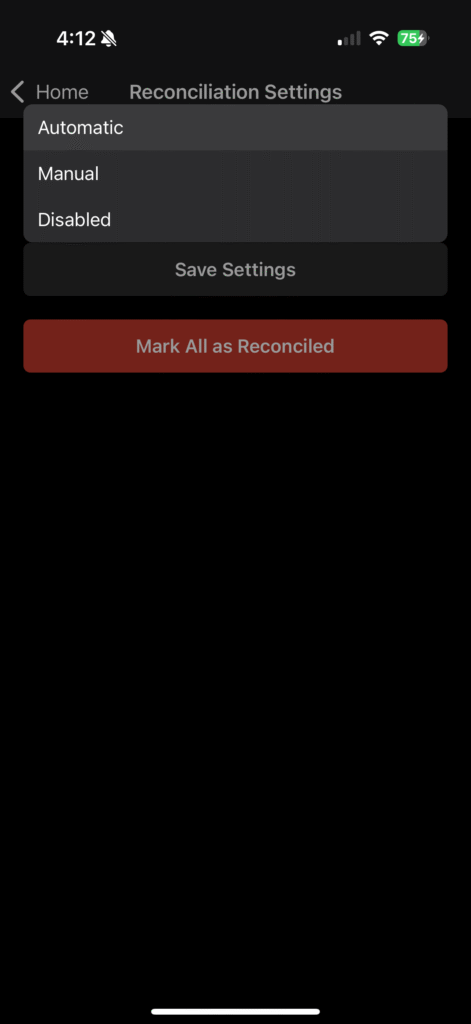
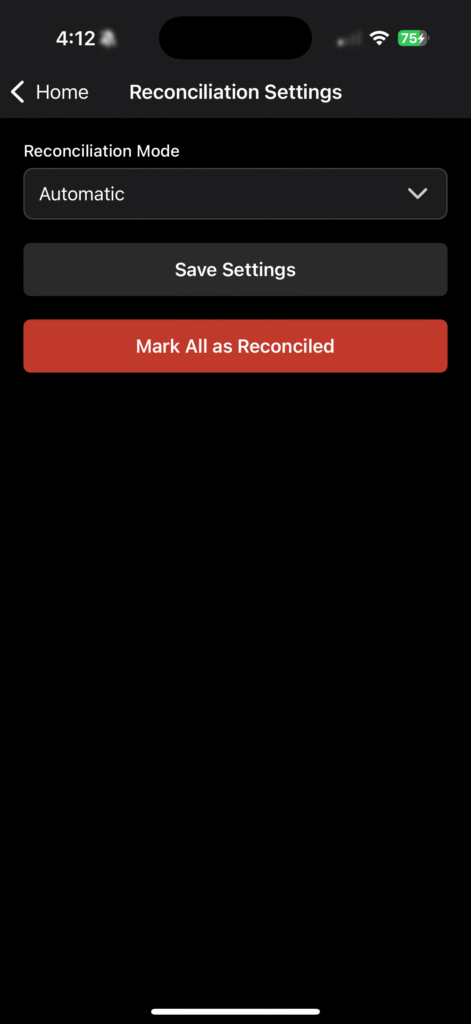
    We now support three reconciliation modes:

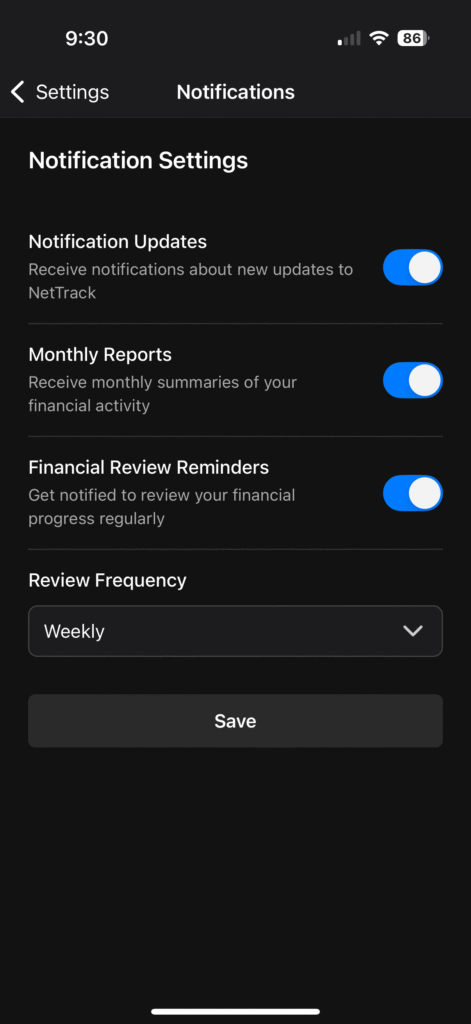
    • Automatic (default): Uses our AI to automatically categorize transactions and only prompts you for transactions with low confidence.
    • Manual: Want complete control? Review and reconcile all transactions without a matching rule.
    • Disabled: Prefer not to reconcile? You can now turn reconciliation off entirely.

    This flexibility means you can tailor NetTrack to your workflow:

    • Let automation handle it for you.
    • Or take full control if you want to review every transaction.
    • Or disable if you prefer a fully automated net worth tracking experience.

    ✅ 3. Mark All as Reconciled

    Need to clear your reconciliation queue and start fresh?

    With a single tap, you can now mark all transactions as reconciled, allowing you to reset your workflow, switch reconciliation modes, or declutter your backlog.


    Why it matters:

    These updates empower you to:
    ✅ Automate your finances with precision.
    ✅ Maintain control when you want it.
    ✅ Save hours while keeping your net worth data clean.


    Coming Soon:

    We’re continuing to improve NetTrack every day based off of your feedback! Please keep sending us what you’d like to see in future updates (you can reply directly to this email!).


    Ready to try these new features?
    Make sure to get the latest version of NetTrack from the app store. Head to the Reconcile tab in your NetTrack app to experience a smoother, smarter way to manage your transactions.

  • New in NetTrack: Multi-Currency Support

    New in NetTrack: Multi-Currency Support

    We’re excited to roll out one of our most requested features in NetTrack — multi-currency support!

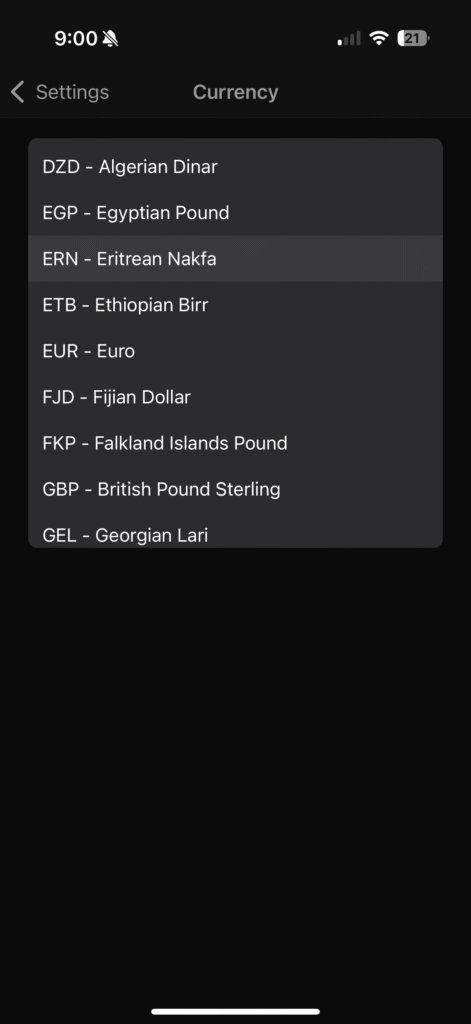
    💱 Set Your Preferred Currency

    You can now choose from dozens of global currencies in the new Currency Settings screen. Whether your finances span USD, EUR, GBP, JPY, or even the Eritrean Nakfa 🇪🇷, NetTrack has you covered.

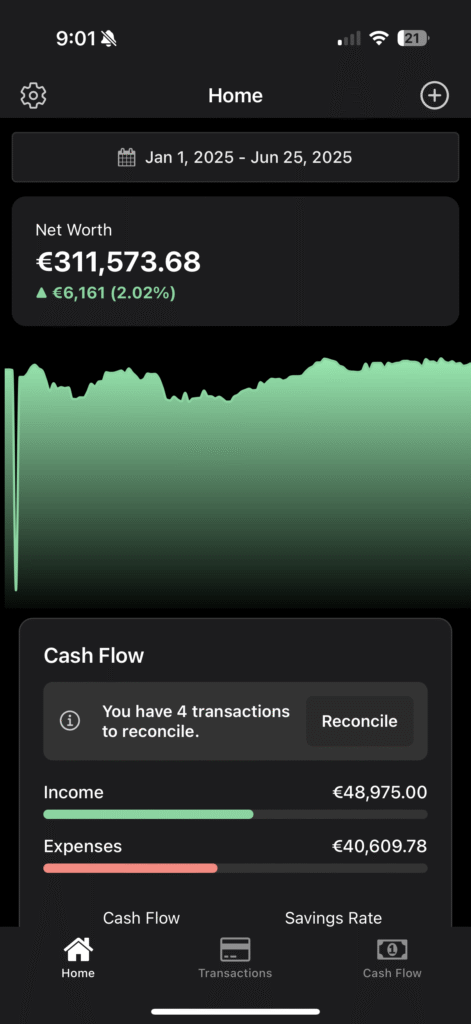
    Once selected, NetTrack will convert all your financial data — including account balances, net worth snapshots, and transactions — to your preferred currency.

    📈 Historical Accuracy That Matters

    What sets NetTrack apart is our historical FX conversion engine. We don’t just convert using today’s rate — we use the exact historical exchange rate from the date of each transaction or snapshot, ensuring your charts and trends remain accurate over time.

    🔍 Consistent Experience Across the App

    From the Home Dashboard to Cash Flow and Savings Rate, every financial insight is now rendered in your chosen currency.

    🧠 Why This Matters

    Whether you’re:

    • Managing global investments
    • Getting paid in multiple currencies
    • Traveling abroad or planning to

    …this update ensures your net worth story is always consistent, comparable, and crystal clear.


    More enhancements are coming soon. Give it a try, and as always, we’d love your feedback.

    ➡️ Open NetTrack → Settings → Currency to get started.


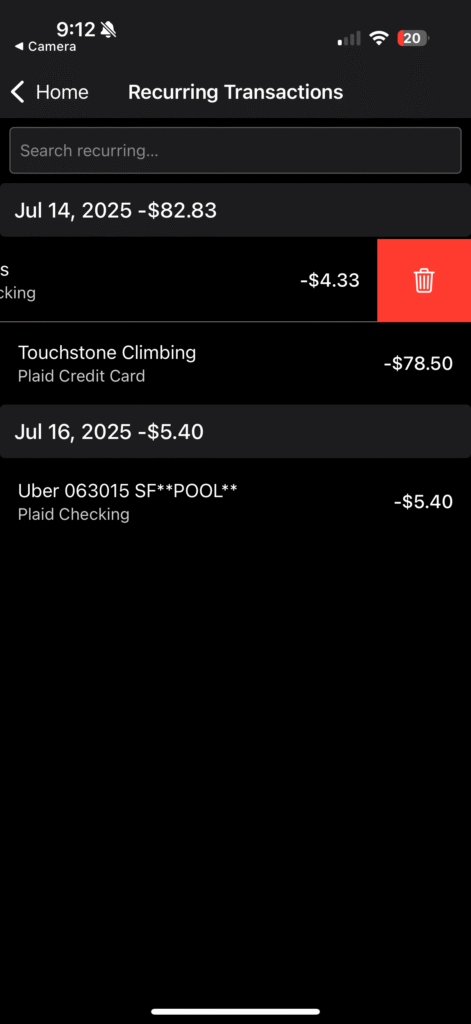
    🧹 Clean Up Recurring Transactions

    You can now remove incorrectly flagged recurring transactions directly from the Recurring tab — helping you keep your data clean and your predictions accurate.

    Just swipe to delete any transaction that doesn’t belong in your recurring list.

    This is especially useful if one-off purchases (like that random gym visit or one-time Uber ride) get auto-classified as recurring.


    Be sure to reply and let us know what features or improvements you’d like to see next!

  • NetTrack Weekly Update — Version 1.2.6 Released

    NetTrack Weekly Update — Version 1.2.6 Released

    We’re excited to kick off a new blog series where we share what’s new in NetTrack each week — giving you a behind-the-scenes look at the improvements we’re making to help you track your net worth more effectively.

    🚀 Version 1.2.6 is live!

    This week’s release includes two of the most requested features:


    ✅ Custom Transaction Categories

    You can now create your own transaction categories, tailored to how you manage your money. Whether you want to separate out your side hustle income, track recurring donations, or just prefer your own labels — you’re in control.

    Where to find it:
    Go to Cash Flow → Categories to start adding and editing your custom categories.


    🔁 Recurring Transactions

    No more duplicating recurring bills and subscriptions manually. NetTrack now detects and displays recurring transactions like rent, mortgage, utilities, and streaming services — so your financial timeline stays up to date with minimal input.

    Coming soon: We’ll soon let you edit, manage, and project these recurring transactions to forecast future cash flow.


    That’s it for this week! As always, we’re building NetTrack with feedback from our users — if you’ve got ideas, hit reply and drop us a message.