
For the past few months, two requests have consistently topped the list:
- A proper Light Mode.
- An easier way to manage accounts on existing bank connections.
Today’s release delivers both.
Light Mode
Light Mode is here.
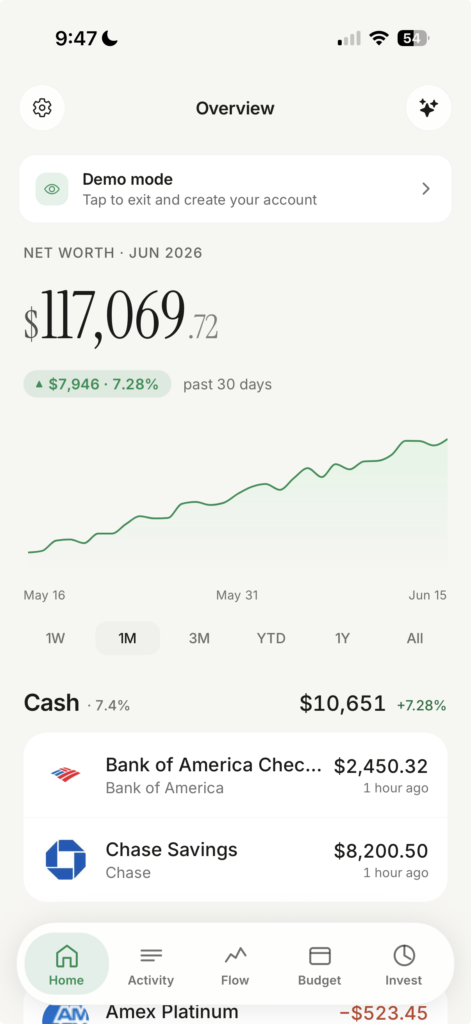
We redesigned it from the ground up to match the cleaner, simpler direction NetTrack has been moving toward. The new theme keeps the same focus on readability and data density while feeling much brighter during daytime use.
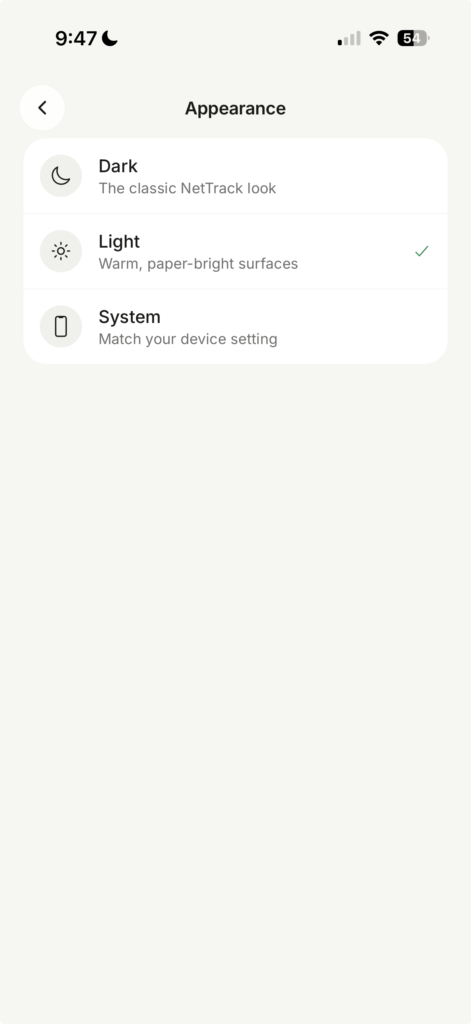
You can switch between:
- Dark
- Light
- System (follows your device setting)
Just head to Settings → Appearance and choose the style you prefer.
Manage Existing Connections Without Reconnecting
Previously, if your bank added a new account or you closed an old one, updating NetTrack wasn’t always obvious.
Now when you select an institution you’ve already connected, you’ll see a dedicated update flow.
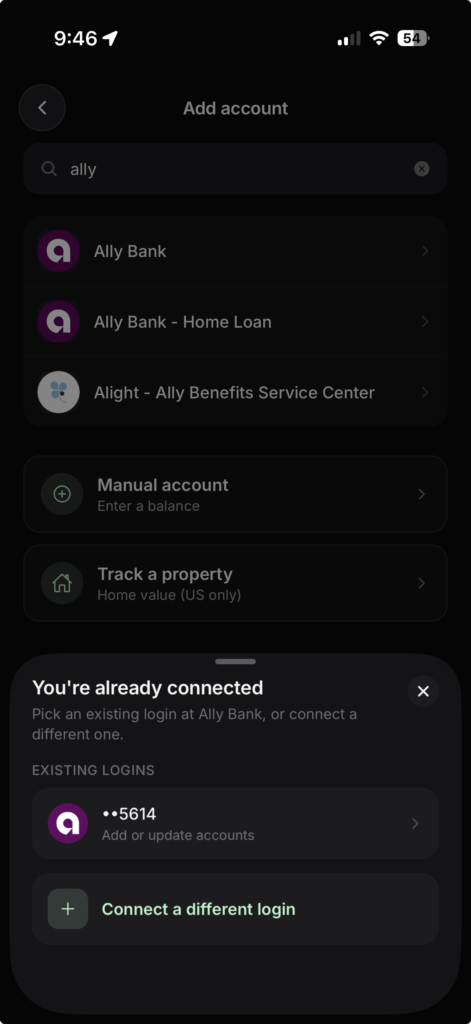
Simply select your existing connection and choose Add or update accounts. NetTrack will refresh the institution and let you include newly available accounts without creating a duplicate connection.
Why This Matters
Many banks let you have multiple accounts under a single login, and those accounts change over time.
NetTrack should adapt with you.
Whether you’re opening a new high-yield savings account, adding a brokerage account, or closing an old credit card, keeping your dashboard accurate should take seconds—not a full reconnect.
Available Now
Both features are available today:
- Light Mode
- System Appearance Support
- Dedicated Account Update Flow
- Easier Account Add/Remove Management
As always, thank you for the feedback and feature requests. Many of NetTrack’s best improvements start with user suggestions, and these two features are a direct result of that.
Leave a Reply